
Bonuses credit within a few minutes of a qualifying deposit. The minimum first deposit is AUD 30 — if your deposit was below that, the bonus won’t trigger. Check your account’s promotion history; if the deposit meets the minimum and the bonus still isn’t there, contact live chat with your transaction ID.
 Welcome pack for 2 depositsGet 2 000 AUD + 100 Free Spins on slots and Live
 Loyalty ProgramEnjoy cashback, no-deposit rewards, and more
Lucky Hills Casino App Troubleshooting
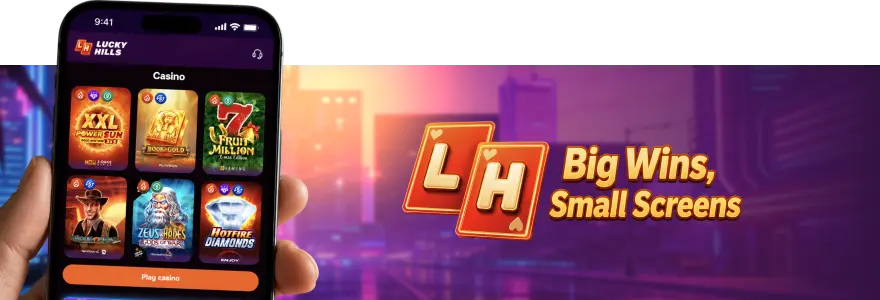
Running into a problem with our app is frustrating, especially when you just want to play. This guide covers the most common issues Aussie players encounter — from install failures and blank game screens to login errors and payment hiccups — so you can fix them without waiting for support. If you’ve read a Lucky Hills casino app review and landed here with a specific complaint, the sections below address the most reported problems directly.
Our app is a Progressive Web App (PWA) — that means no App Store download required. Because it runs differently from a native iOS or Android app, a handful of install and browser-related issues come up more often than others.
Lucky Hills App Won’t Install
The install prompt not appearing is the single most common issue we hear about. On Android, the prompt only shows in Chrome — if you’re using Firefox, Samsung Internet, or Opera, you won’t see it. On iOS, you must use Safari; the Add to Home Screen option doesn’t appear in Chrome or third-party browsers on Apple devices.
Android Fixes:
- Open the site in Chrome specifically, not your default browser
- Make sure Chrome is updated — versions below 80 block the install prompt
- Clear Chrome’s cache and reload the site
- If the banner still doesn’t appear, tap the three-dot menu and select “Add to Home Screen” manually
iOS Fixes:
- Open the site in Safari
- Tap the Share icon at the bottom of the screen
- Select “Add to Home Screen” from the menu
- If the option is greyed out, check that JavaScript is enabled in Safari settings under Websites
The Lucky Hills Android app installs in under a minute when Chrome is up to date. On iOS, the process takes roughly the same time through Safari.
App Opens but Games Won’t Load
A blank screen or a game that spins indefinitely usually comes down to one of three things: an outdated browser, a full cache, or a weak connection. Start by checking your connection — switch from mobile data to WiFi if possible, then reload.
Lucky Hills app requirements include a minimum browser version — older Chrome builds cause blank game screens, so keeping Chrome current prevents most loading failures. If the browser is current and games still won’t open, clearing your browser cache resolves the issue in most cases.
Steps to clear cache on Chrome (Android)
- Open Chrome settings
- Go to Privacy and Security
- Tap Clear Browsing Data
- Select Cached Images and Files, then confirm
After clearing the cache, return to the site and try loading the game again. If it still won’t start, the issue may be on the provider’s end — try a different game title to confirm.
Login Problems on the Lucky Hills App
Session timeouts and credential errors account for the majority of login issues we see. Before contacting our support team, work through the fixes below — most cases resolve without needing to raise a ticket.
| Problem | Likely Cause | Fix | Contact Support When |
| Password rejected | Caps Lock on or wrong email | Use the password reset link | Reset link doesn’t arrive within 10 minutes |
| Session expired | App left idle too long | Log in again | Repeated forced logouts with no idle time |
| Account locked | Multiple failed attempts | Wait 15 minutes and retry | Account still locked after 30 minutes |
| Two-factor code not arriving | SMS delay or incorrect number | Check spam or request the code again | Code never arrives after 3 attempts |
LuckyHills iOS app login errors are most often caused by Safari cache — clearing it resolves the problem in the majority of cases. Go to Settings, scroll to Safari, and tap Clear History and Website Data.
Payment Not Going Through on Mobile
A failed deposit or withdrawal on mobile is almost always caused by a connection drop, a card decline, or a browser session that timed out mid-transaction. The Lucky Hills mobile casino cashier requires a stable connection — switching from 4G to WiFi mid-transaction can cause the session to break and the payment to fail.
If your card was declined, check that your bank hasn’t flagged the transaction. Some Australian banks block gambling-related charges by default — calling your bank to whitelist the transaction resolves this immediately. For crypto deposits, confirm you’re sending to the correct network address; sending Tether ERC-20 funds to a TRC-20 address will result in a failed or lost transfer.
Our minimum deposit is AUD 10 for most methods, and the minimum withdrawal is AUD 80. If your withdrawal amount is below AUD 80, it will not process — adjust the amount and resubmit.
Live Casino Not Streaming Properly
A lagging or black stream is nearly always a bandwidth problem. Live dealer games require a stable connection of at least 4 Mbps — if you’re on a congested network, drop quality will show up immediately.
Switch to landscape mode if the stream looks stretched or cut off. Some of our live providers — including Evolution and SA Gaming — render better in landscape on smaller screens. If the stream is black rather than lagging, the issue is usually a permissions block; check that your browser allows autoplay for video on our site.
Close any background apps consuming bandwidth. One active video call or large download can cut available speed enough to break a live stream entirely.
Is Lucky Hills Casino Legit
LuckyHills holds a Curaçao licence, number 133283. That licence covers fair game operation, player fund handling, and a formal dispute process — so if something goes wrong, you have a regulated path to escalate it.
Most complaints in LuckyHills casino reviews relate to withdrawal delays or document verification, both of which fall within the licence scope. If you have a genuine dispute that our support team hasn’t resolved, follow these steps:
- Contact our live chat or email support and document the full exchange
- Request a formal complaint reference number from our team
- Submit the complaint with your reference number to the Curaçao licensing authority.
The process takes time, but the licence gives you a formal mechanism to use. Is Lucky Hills casino legit in the sense that it operates under a registered licence with a complaints process — yes, licence 133283 confirms that.
When to Contact Lucky Hills Support
Our support team is available 24/7 via live chat and email. Live chat handles urgent issues — locked accounts, failed payments, stream problems — faster than email. Email is better suited for document submissions and account disputes that require a paper trail.
| Issue | Self-Fix Exists | Contact Support |
| Forgotten password | Yes — use reset link | If reset email doesn’t arrive |
| Game won’t load | Yes — clear cache | If issue persists after cache clear |
| Deposit failed | Yes — retry on stable connection | If funds left account but didn’t credit |
| Withdrawal pending | No — wait standard processing time | If pending beyond 5 business days |
| Account locked | Yes — wait 15 minutes | If lock continues past 30 minutes |
| KYC document rejected | No | Contact support for document guidance |
FAQ
Why isn’t my welcome bonus showing after my first deposit?
Why was my withdrawal rejected?
Withdrawals are rejected most commonly because KYC verification is incomplete. Go to Profile, open the Verification tab, and check whether your ID document and selfie have been approved. Your document must be valid for at least one month and both sides must be uploaded if it has two sides.
Is the Lucky Hills app safe to use?
Yes. The app runs through your browser rather than a downloaded file, which removes the risk of installing malicious software. Our Curaçao licence, number 133283, requires us to maintain fair play and secure data handling as conditions of operation.
Why does the app look broken on my phone?
A broken layout is almost always a zoom issue. Check that your browser zoom is set to 100% and that you haven’t enabled a desktop view mode in mobile browser settings. Resetting your browser display settings and reloading the site fixes the layout in most cases.
First deposit bonus
100% bonus + 100 Free Spins

- Max bonus:1 000 AUD
- Min deposit:30 AUD
- Wager:x40
- Win limit:3 000 AUD
- 100 FS:20 FS daily for 5 days